
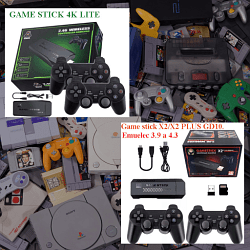
Segam M15 M8 Gamestick

Cita de rikaitch en diciembre 29, 2025, 15:02Like many others, I got a game stick for Christmas. The one I got was made by Higoxyp, and I can't find anything about it. The exact one is this model:
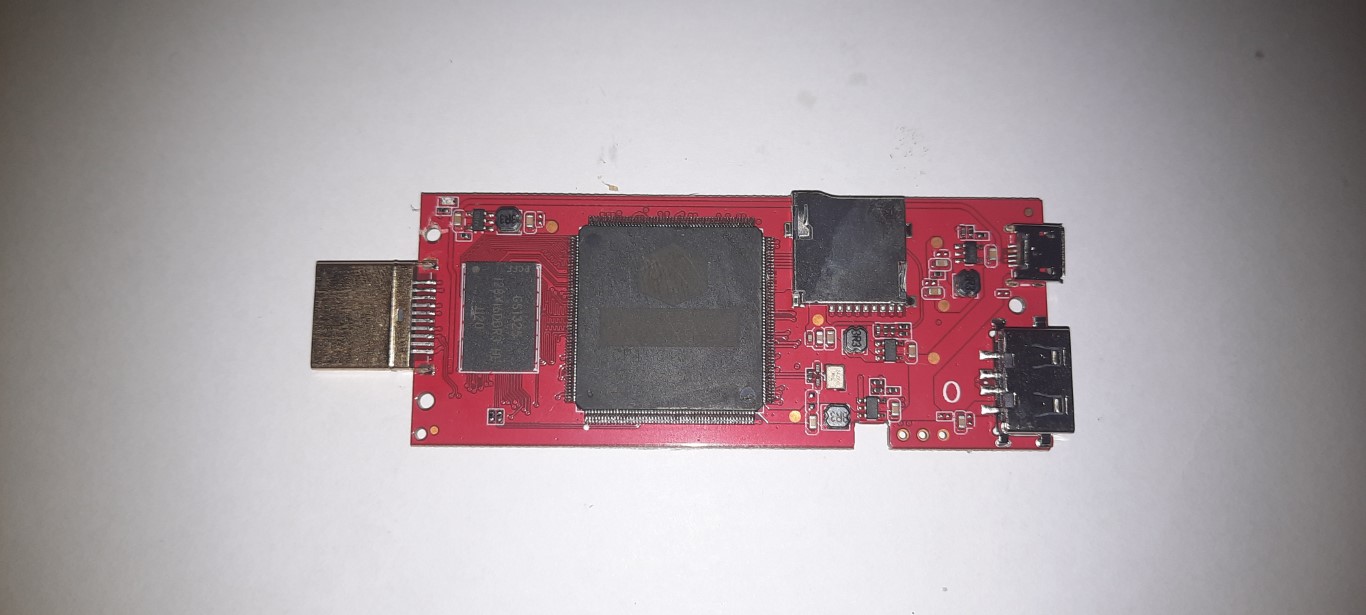
https://www.amazon.ie/Console-Wireless-Emulators-Controller-Projector/dp/B0FHWM9JCBI have tried to backup the 64gb memory card, but I ended up with a raw binary image. I have gone to install it to a larger 128gb memory card and it doesn't appear to work. I checked it in Diskgenius and it says it found a corrupted file system and repairs it, but it still doesn't work after the repair. Ideally I'd like to copy new games to it, but I'd just be happy if I can get it working and readable in the new 128Gb card first. I have opened it up and have a picture of the back and front of the board if that helps. I also have the image file if anyone wants a copy, but obviously I won't upload that on here!
Like many others, I got a game stick for Christmas. The one I got was made by Higoxyp, and I can't find anything about it. The exact one is this model:
https://www.amazon.ie/Console-Wireless-Emulators-Controller-Projector/dp/B0FHWM9JCB
I have tried to backup the 64gb memory card, but I ended up with a raw binary image. I have gone to install it to a larger 128gb memory card and it doesn't appear to work. I checked it in Diskgenius and it says it found a corrupted file system and repairs it, but it still doesn't work after the repair. Ideally I'd like to copy new games to it, but I'd just be happy if I can get it working and readable in the new 128Gb card first. I have opened it up and have a picture of the back and front of the board if that helps. I also have the image file if anyone wants a copy, but obviously I won't upload that on here!
Archivos subidos: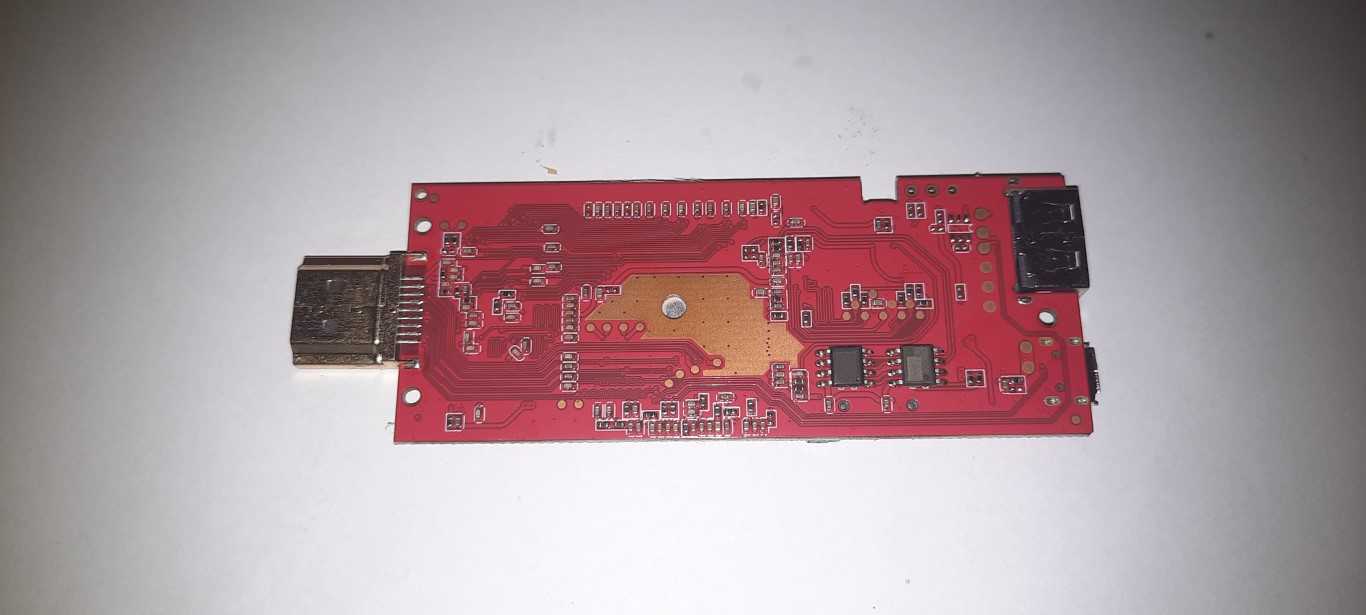

Cita de pitabreadultra en diciembre 31, 2025, 01:14Hello. Thank you for posting your information and a photo. They are helpful.
When you make a backup of the sd memory card that was included with the gamestick, such as with "USB Image Tool" from www.alexpage.de , you usually will get one big binary image file. Be sure to save that image file on a hard drive or SSD.
If you would need to download a compatible image file, then there are several to choose from.
https://retrogamesticks.info/wp/community/topic/segam-m8-8001100-v8-0-restaurar-game-stick-lite-4k/and here is a basic tutorial for adding more games to the stick:
https://retrogamesticks.info/wp/community/topic/como-anadir-mas-juegos-en-m8-8001100-v8-0-game-stick-4k-lite/I am familiar with using DiskGenius Pro version 6. It's really an awesome program. But I personally don't know how to successfully clone this particular (SEGAM M8 8001100 v8.0) gamestick's data from a 64gb card to a 128gb card and then enlarge the ROM partition. This is usually due to some special or hidden boot data that is embedded in one or more partitions on the sd card, or due to the fact that there are multiple partitions of different sizes and contents that I suppose rely on each other to operate the game-stick. You can try another partition manager program such as "Minitool Partition Wizard". Also be sure to use a good quality memory card that has a brand name such as a Sandisk Ultra.
If I find more relevant information about this game-stick, I will post it here.
Feel free to post more questions and information. Happy New Year 📅 🎆
Hello. Thank you for posting your information and a photo. They are helpful.
When you make a backup of the sd memory card that was included with the gamestick, such as with "USB Image Tool" from http://www.alexpage.de , you usually will get one big binary image file. Be sure to save that image file on a hard drive or SSD.
If you would need to download a compatible image file, then there are several to choose from.
https://retrogamesticks.info/wp/community/topic/segam-m8-8001100-v8-0-restaurar-game-stick-lite-4k/
and here is a basic tutorial for adding more games to the stick:
https://retrogamesticks.info/wp/community/topic/como-anadir-mas-juegos-en-m8-8001100-v8-0-game-stick-4k-lite/
I am familiar with using DiskGenius Pro version 6. It's really an awesome program. But I personally don't know how to successfully clone this particular (SEGAM M8 8001100 v8.0) gamestick's data from a 64gb card to a 128gb card and then enlarge the ROM partition. This is usually due to some special or hidden boot data that is embedded in one or more partitions on the sd card, or due to the fact that there are multiple partitions of different sizes and contents that I suppose rely on each other to operate the game-stick. You can try another partition manager program such as "Minitool Partition Wizard". Also be sure to use a good quality memory card that has a brand name such as a Sandisk Ultra.
If I find more relevant information about this game-stick, I will post it here.
Feel free to post more questions and information. Happy New Year 📅 🎆