
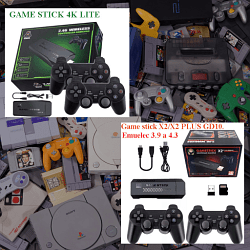
Abre tu game-stick, sube fotos de la placa. / Open your game-stick, upload photos of the plate

Cita de pitabreadultra en noviembre 24, 2025, 04:52
Open the casing of the gamestick, and remove all stickers and heatsinks. Create a new post in the General Threads and Help section of the forum , write a description about your game-stick or gamebox and upload your photos in the your post in the forum. You can attach several photos to the bottom of your your message.
(Espanol). Abre la carcasa del gamestick, and retira todas las pegatinas y disipadores de calor. Crea una nueva publicación en la sección de Hilos Generales y Ayuda del foro, escribe una descripción sobre tu game-stick o gamebox y sube tus fotos en tu publicación en el foro. Puedes adjuntar varias fotos al final de tu mensaje.
Video tutorial:
https://www.youtube.com/watch?v=Ra6WhSG-3ws
Otro video tutorial:
https://youtu.be/ptZyDJtv9bE
Enlace corto para compartir en redes sociales - https://tinyurl.com/abre-tu-gamestick y https://bit.ly/4okJdWr
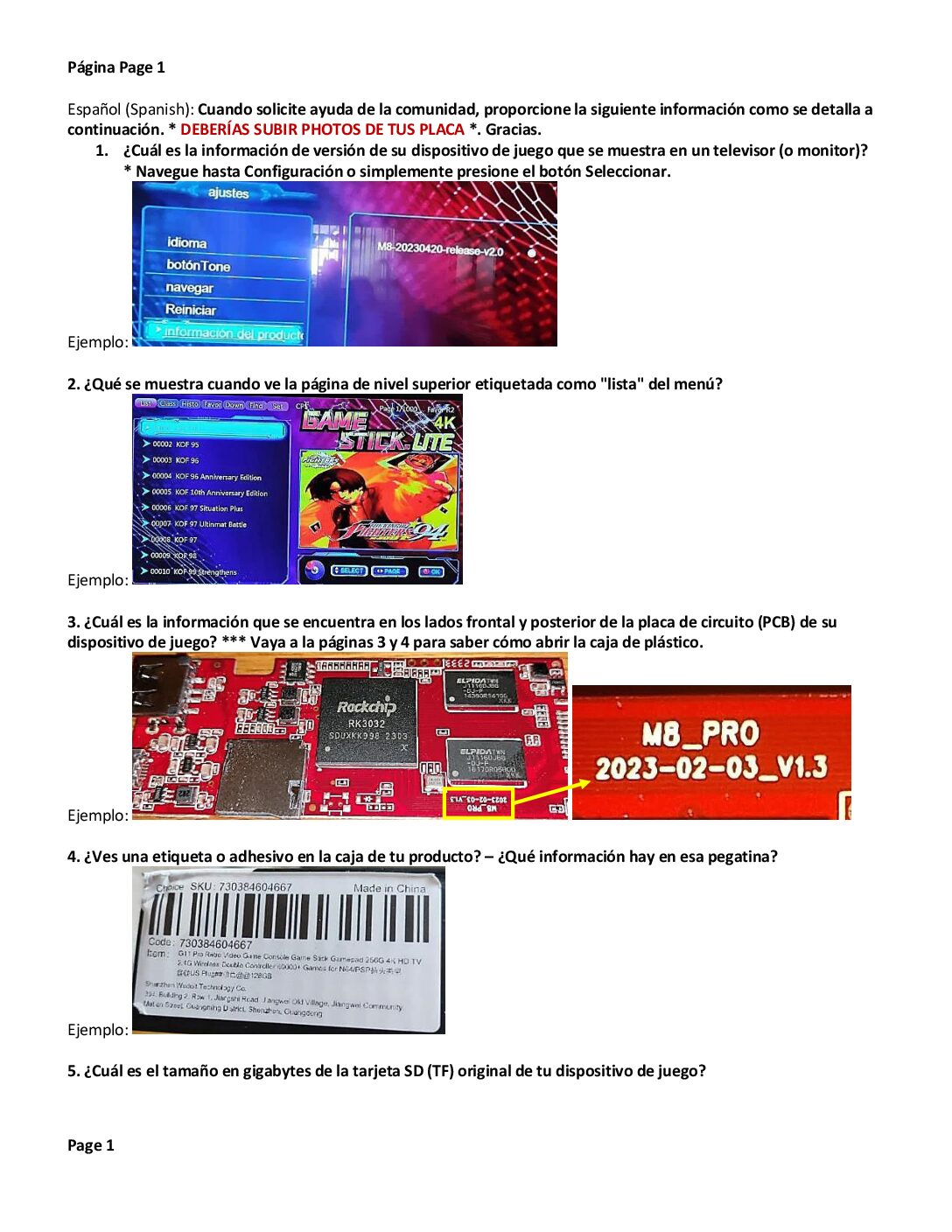
Open the casing of the gamestick, and remove all stickers and heatsinks. Create a new post in the General Threads and Help section of the forum , write a description about your game-stick or gamebox and upload your photos in the your post in the forum. You can attach several photos to the bottom of your your message.
(Espanol). Abre la carcasa del gamestick, and retira todas las pegatinas y disipadores de calor. Crea una nueva publicación en la sección de Hilos Generales y Ayuda del foro, escribe una descripción sobre tu game-stick o gamebox y sube tus fotos en tu publicación en el foro. Puedes adjuntar varias fotos al final de tu mensaje.
Video tutorial:
Otro video tutorial:
Cita de pitabreadultra en noviembre 24, 2025, 04:56Escribe un nuevo mensaje en la sección de Hilos Generales y Ayuda del foro.
Write a new message in General Threads and Help section of the forum.
Sube fotos de la placa a este foro. Puedes subir 5 fotos. Cada foto puede tener un tamaño máximo de 512 kb.
Upload photos of the motherboard to this forum. You can upload 5 photos. Each photo can be up to 512 kb in size.
Si tu foto es demasiado grande, usa un compresor de fotos o una aplicación para reducir el tamaño, ya sea en línea o en tu smartphone. Puedes subir fotos a un sitio web de alojamiento de imágenes (https://imgbb.com o https://postimages.org) y pegar el enlace a tus fotos.
If your photo is too large, the use a photo compressor or shrink app online or in your smart-phone. You can upload photos to an image hosting website https://imgbb.com or https://postimages.org and paste the link here to your photos.
Enlace corto para compartir en redes sociales - https://tinyurl.com/abre-tu-gamestick y https://bit.ly/abre-tu-game-stick y https://v.gd/abre_tu_gamestick
y PDF en Drive de Google https://bit.ly/preguntasparagamestick
Escribe un nuevo mensaje en la sección de Hilos Generales y Ayuda del foro.
Write a new message in General Threads and Help section of the forum.
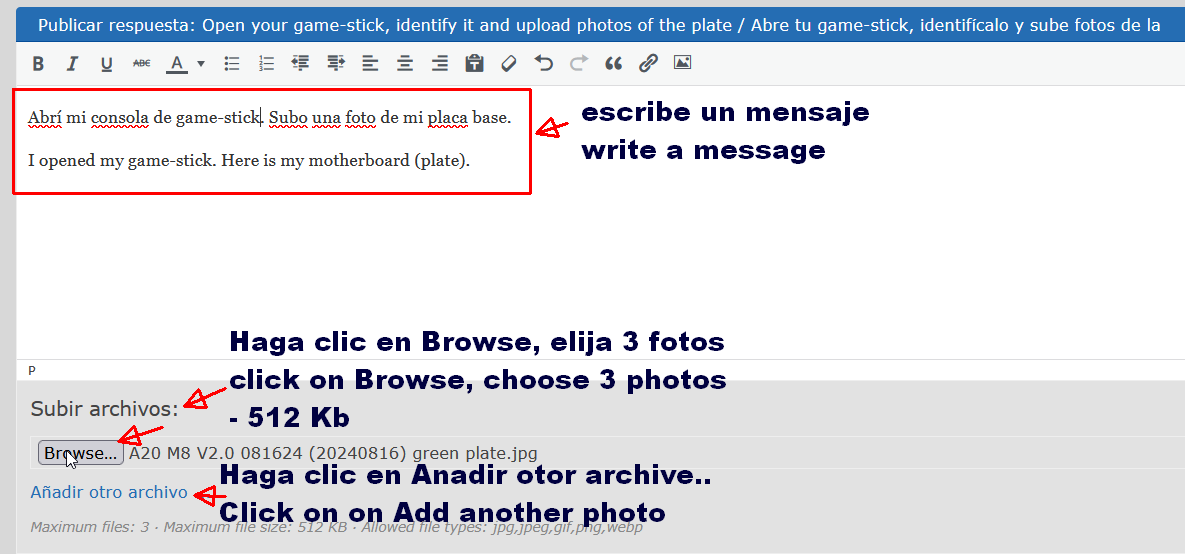
Sube fotos de la placa a este foro. Puedes subir 5 fotos. Cada foto puede tener un tamaño máximo de 512 kb.
Upload photos of the motherboard to this forum. You can upload 5 photos. Each photo can be up to 512 kb in size.
Si tu foto es demasiado grande, usa un compresor de fotos o una aplicación para reducir el tamaño, ya sea en línea o en tu smartphone. Puedes subir fotos a un sitio web de alojamiento de imágenes (https://imgbb.com o https://postimages.org) y pegar el enlace a tus fotos.
If your photo is too large, the use a photo compressor or shrink app online or in your smart-phone. You can upload photos to an image hosting website https://imgbb.com or https://postimages.org and paste the link here to your photos.



Enlace corto para compartir en redes sociales - https://tinyurl.com/abre-tu-gamestick y https://bit.ly/abre-tu-game-stick y https://v.gd/abre_tu_gamestick
y PDF en Drive de Google https://bit.ly/preguntasparagamestick