
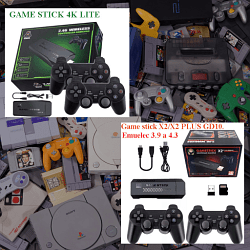
Advance Game Player box-X 4k (jkt-h9-a13-v01 top layer 20231021) black screen

Cita de VrGame en diciembre 28, 2025, 00:53I have Advance Game Player box-X 4k (jkt-h9-a13-v01 top layer 20231021) HDMI port. It display black screen while connecting to Tv, no game menu or music just black screen. I googled about it and it suggested to format SD Card and install firmware, but i couldn't find firmware any ware online even on internet archive site , it listed some other game stick which match to 'jkt-h9-a13-v01 top layer 20231021' this identifier with only 31gb not mine as 62gb size firmware. Can you please help me for find firmware for it?
Thank you
I have Advance Game Player box-X 4k (jkt-h9-a13-v01 top layer 20231021) HDMI port. It display black screen while connecting to Tv, no game menu or music just black screen. I googled about it and it suggested to format SD Card and install firmware, but i couldn't find firmware any ware online even on internet archive site , it listed some other game stick which match to 'jkt-h9-a13-v01 top layer 20231021' this identifier with only 31gb not mine as 62gb size firmware. Can you please help me for find firmware for it?
Thank you
Archivos subidos: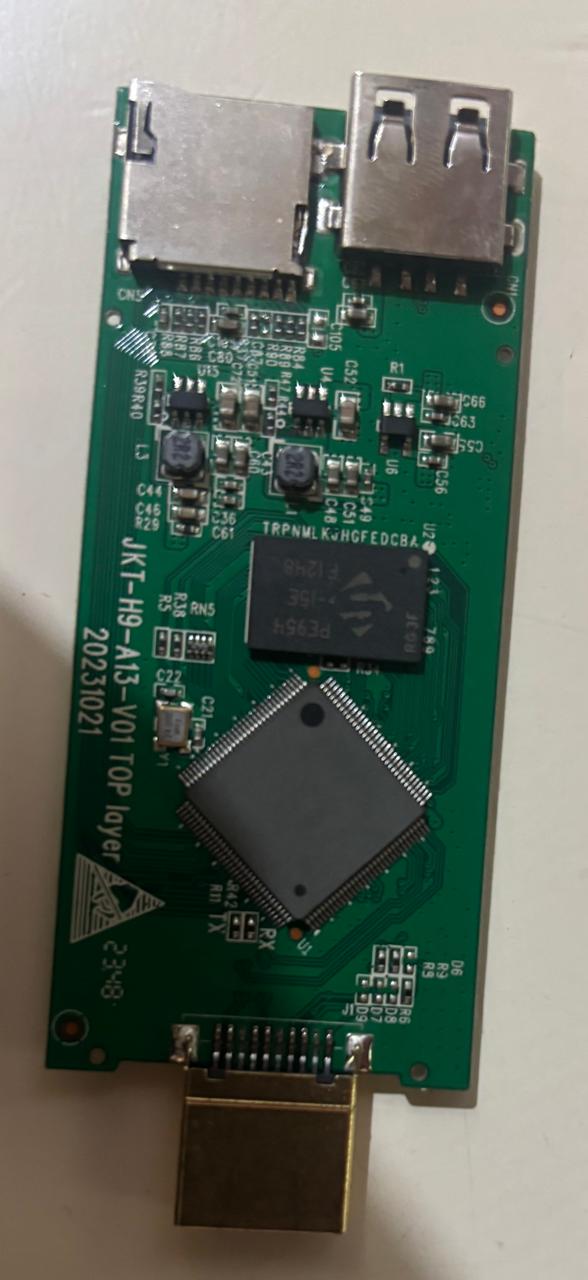

Cita de pitabreadultra en diciembre 28, 2025, 18:46Hello. Thank your posting your message. First, please test whichever SD memory card that you choose to use. This is an important step to determine if the SD memory card is still usable. Download and install the program "h2testw" from https://h2testw.org . Be sure to first format (erase) the SD memory card before you begin to test the card in h2testw.
Here is a tutorial video for h2testw - You can search for more on Youtube:
https://www.youtube.com/watch?v=tZnpx619f7I
I recently learned that a game-stick called a "Pandora's Box" sometimes has the same circuit board (plate) that you shared here. Here is a link to a page in the forum that you can read to get the firmware file.
https://retrogamesticks.info/wp/community/topic/pandoras-box-jkt-h9-a13-v01-restaurar-game-stick-4k-lite/
Here is a link to tutorial videos for recording (burning) the image file to an SD memory card. You can search for more tutorials in Youtube.
https://retrogamesticks.info/wp/community/topic/como-grabar-una-imagen-img-en-una-tarjeta-de-memoria-how-to-burn-an-image-img-to-a-memory-card-2/
Feel free to ask more questions and share more information. I hope to see your reply soon.
Hello. Thank your posting your message. First, please test whichever SD memory card that you choose to use. This is an important step to determine if the SD memory card is still usable. Download and install the program "h2testw" from https://h2testw.org . Be sure to first format (erase) the SD memory card before you begin to test the card in h2testw.
Here is a tutorial video for h2testw - You can search for more on Youtube:
I recently learned that a game-stick called a "Pandora's Box" sometimes has the same circuit board (plate) that you shared here. Here is a link to a page in the forum that you can read to get the firmware file.
Here is a link to tutorial videos for recording (burning) the image file to an SD memory card. You can search for more tutorials in Youtube.
Feel free to ask more questions and share more information. I hope to see your reply soon.