
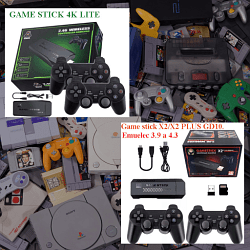
add game to game stick SEGAM 066 EM (4LAYOUT)

Cita de papydark en diciembre 6, 2025, 09:47Hello dear friends, everything is correct. You just need to take one step at the very beginning, which is to format the SD card in FAT32 non-bootable with the Rufus software. Otherwise, everything you explained is correct.
good job tuto 🙂
Hello dear friends, everything is correct. You just need to take one step at the very beginning, which is to format the SD card in FAT32 non-bootable with the Rufus software. Otherwise, everything you explained is correct.
good job tuto 🙂

Cita de pitabreadultra en diciembre 6, 2025, 10:21@papydark Okay. great. I made the correction in my previous post.
Will you please post here the download link to the firmware that you installed, so that other people can open it?
@papydark Okay. great. I made the correction in my previous post.
Will you please post here the download link to the firmware that you installed, so that other people can open it?
Cita de papydark en diciembre 6, 2025, 11:07yes
https://drive.google.com/file/d/1UIxN7fB4l6K1r8NN6SzYGB9uJWHrlgOM/view?usp=drive_link
yes
https://drive.google.com/file/d/1UIxN7fB4l6K1r8NN6SzYGB9uJWHrlgOM/view?usp=drive_link
Cita de pitabreadultra en diciembre 6, 2025, 12:47Cita de papydark en diciembre 6, 2025, 11:07yes
https://drive.google.com/file/d/1UIxN7fB4l6K1r8NN6SzYGB9uJWHrlgOM/view?usp=drive_link
wonderful! thank you. i will post a copy of that firmware SEGA (SEGAM) V6.0 2024 12 05 to my page on The Internet Archive. Check the link again tomorrow for an updated page. https://archive.org/details/SEGAM-SEGA-M8-V6.0-2024-12-05-V1.0.0-various-plates
Cita de papydark en diciembre 6, 2025, 11:07yes
https://drive.google.com/file/d/1UIxN7fB4l6K1r8NN6SzYGB9uJWHrlgOM/view?usp=drive_link
wonderful! thank you. i will post a copy of that firmware SEGA (SEGAM) V6.0 2024 12 05 to my page on The Internet Archive. Check the link again tomorrow for an updated page. https://archive.org/details/SEGAM-SEGA-M8-V6.0-2024-12-05-V1.0.0-various-plates